Older laptops often face obsolescence when major operating systems undergo significant upgrades. Such is the case with many devices left behind after the launch of Windows 11. The new system requirements are notably higher than those of its predecessor, Windows 10, especially regarding CPU capabilities. This has led many users to explore alternative operating systems, like Linux, to breathe new life into aging hardware.
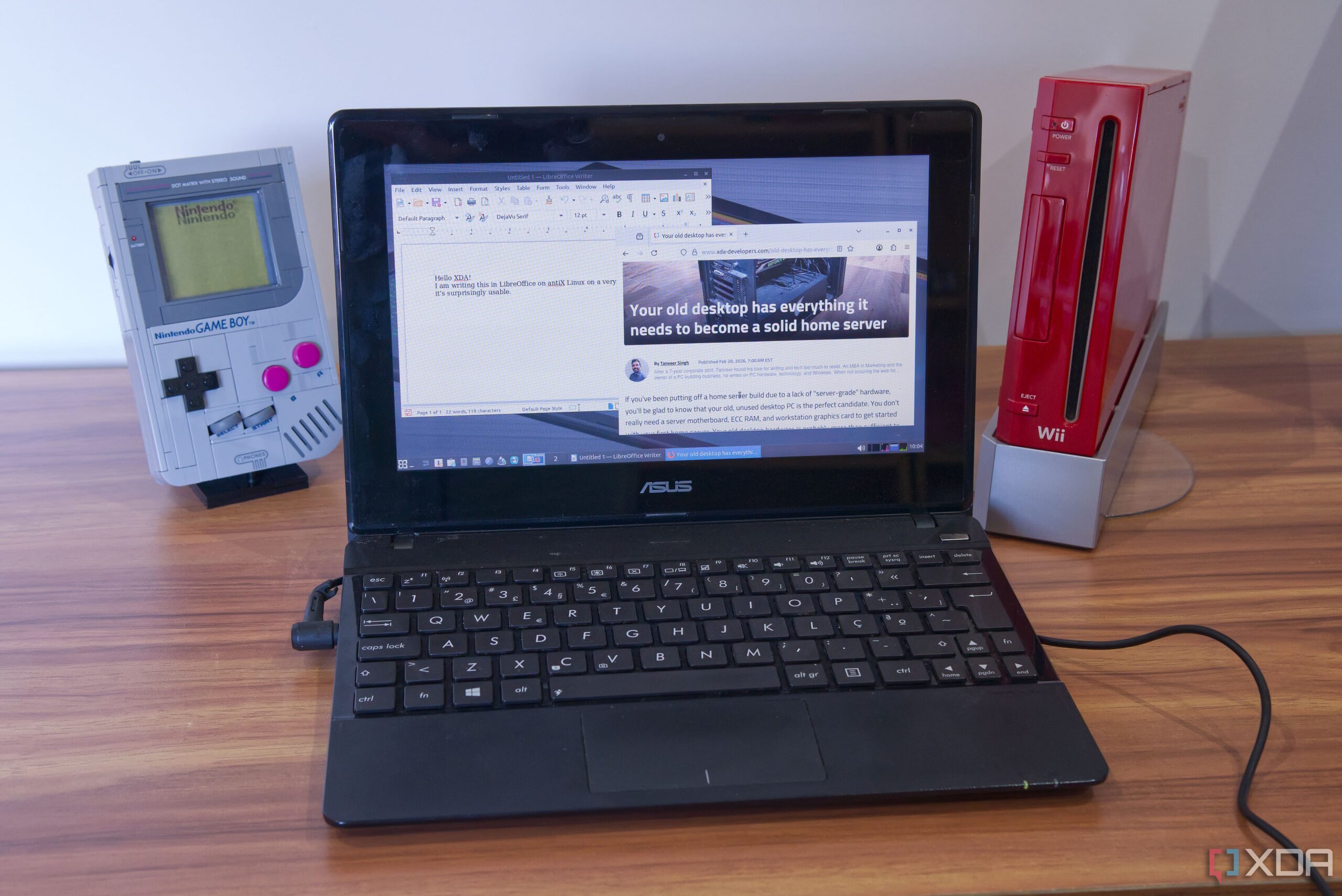
One such device is the Asus X102BA, a compact laptop released around 2013 that originally shipped with Windows 8. This model features a modest AMD A4-1200 dual-core CPU and 2GB of RAM, making it a prime candidate for testing its performance under various operating systems. The goal was to discover whether Windows 11 could run on this low-end device, despite its limitations.
Initial Attempts with Windows 11
The first step was to install Windows 11, leveraging a tool called Atlas OS designed to optimize performance. Unfortunately, even basic tasks like loading the desktop took an impractical amount of time. The system struggled significantly, with the Start menu being slow to respond and the installation process for Atlas OS repeatedly stalling.
After numerous attempts, it became clear that Windows 11 was not a viable option for the Asus X102BA. This prompted a shift in strategy towards lightweight Linux distributions, which are often more suited to older hardware.
Exploring Linux Alternatives
The first Linux distribution tested was CachyOS, which ultimately proved incompatible due to its requirement of at least 2.5GB of RAM. This realization led to the next attempt with Linux Mint Xfce, a lighter variant of the well-known operating system. The installation process was successful, and surprisingly, the laptop was almost functional.
Basic tasks such as updating the system and browsing the web were achievable, but performance lagged when multiple applications were opened. Opening three browser tabs, one of which was streaming a video, resulted in significant slowdowns.
The final attempt involved antiX, a Linux distribution focused on optimizing performance for older machines. By utilizing the Fluxbox desktop environment, antiX provided a remarkably responsive experience. Users found that accessing the system menu and applications was much more fluid compared to previous attempts.
Overall, antiX emerged as a suitable option for basic computing tasks. It includes essential applications such as Firefox for web browsing and LibreOffice for document creation. While some tasks remained sluggish, antiX allowed for a largely functional computing experience on the Asus X102BA.
The Linux kernel version 6.1 used by antiX is still officially supported, ensuring that users will receive necessary security updates in the future. Although limitations persist—such as slow app loading times and challenges with resource-heavy websites—basic browsing and document editing were feasible.
In conclusion, while the Asus X102BA is not a computer suited for intensive tasks, it demonstrates that older hardware can remain useful with the right software. Simple tasks may still be manageable, particularly for those less demanding on resources. For individuals with patience, particularly those seeking a device for basic needs, antiX proves to be a viable solution. Further hardware improvements, like replacing the thermal paste and cleaning dust buildup, could enhance performance even more, making this laptop a reasonable choice for less tech-savvy users or children.